Retail POS softwareA faster checkout and a stockroom that counts itself
TapNtrade is a retail point of sale for shops, marts and pharmacies. Ring up a sale in seconds with search or a barcode scan, take cash, card or online payment, and let the stock count, customer history and profit report update themselves.
 Book a demo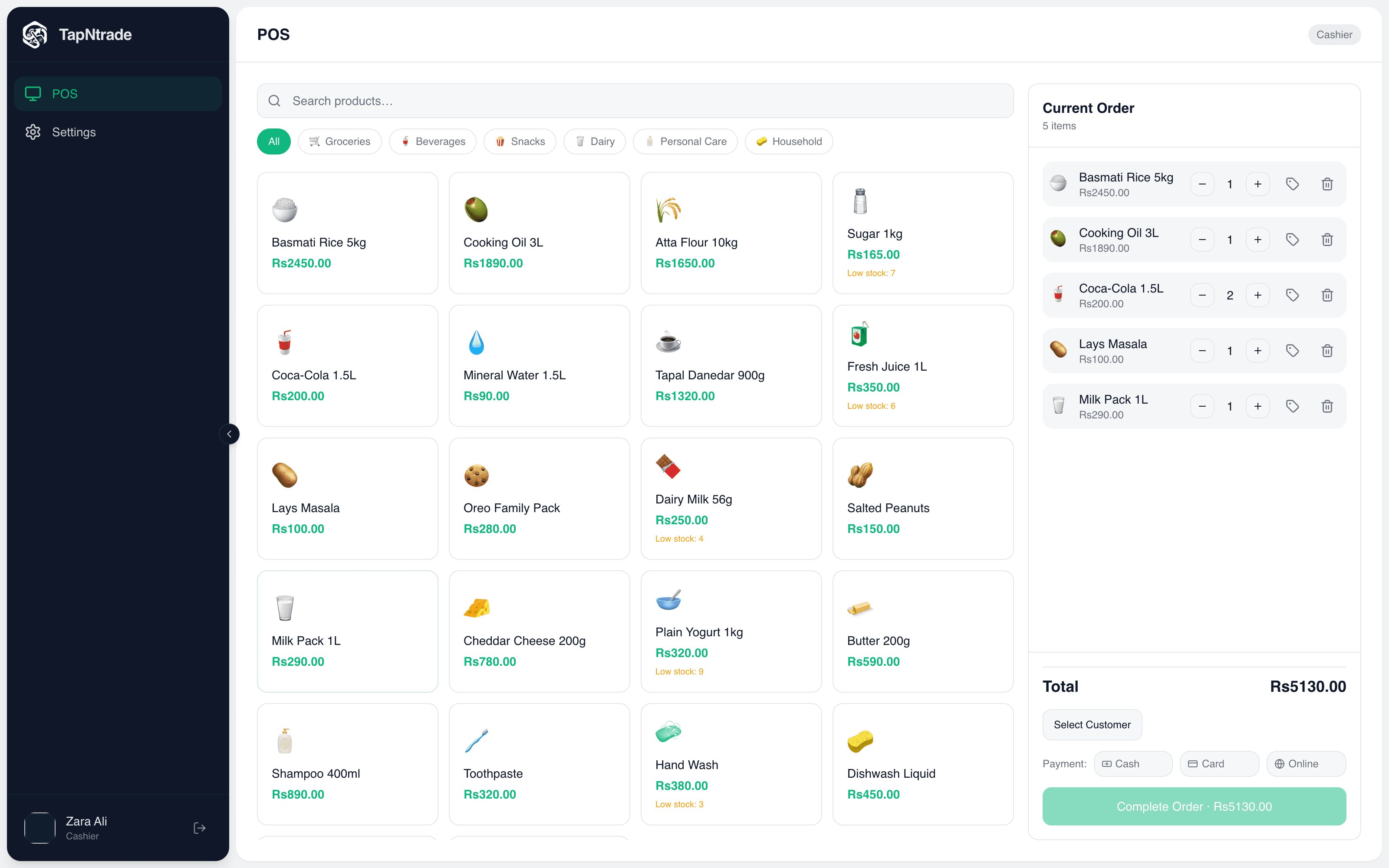
Built for shops of every size
- Supermarkets
- Grocery & general stores
- Pharmacies
- Clothing & shoes
- Mobile & electronics
- Cosmetics & jewellery
- Hardware
- Kiosks & marts
Retail features
Everything a retail POS should do
From the first scan to the end-of-month profit, in one system.
Barcode checkout
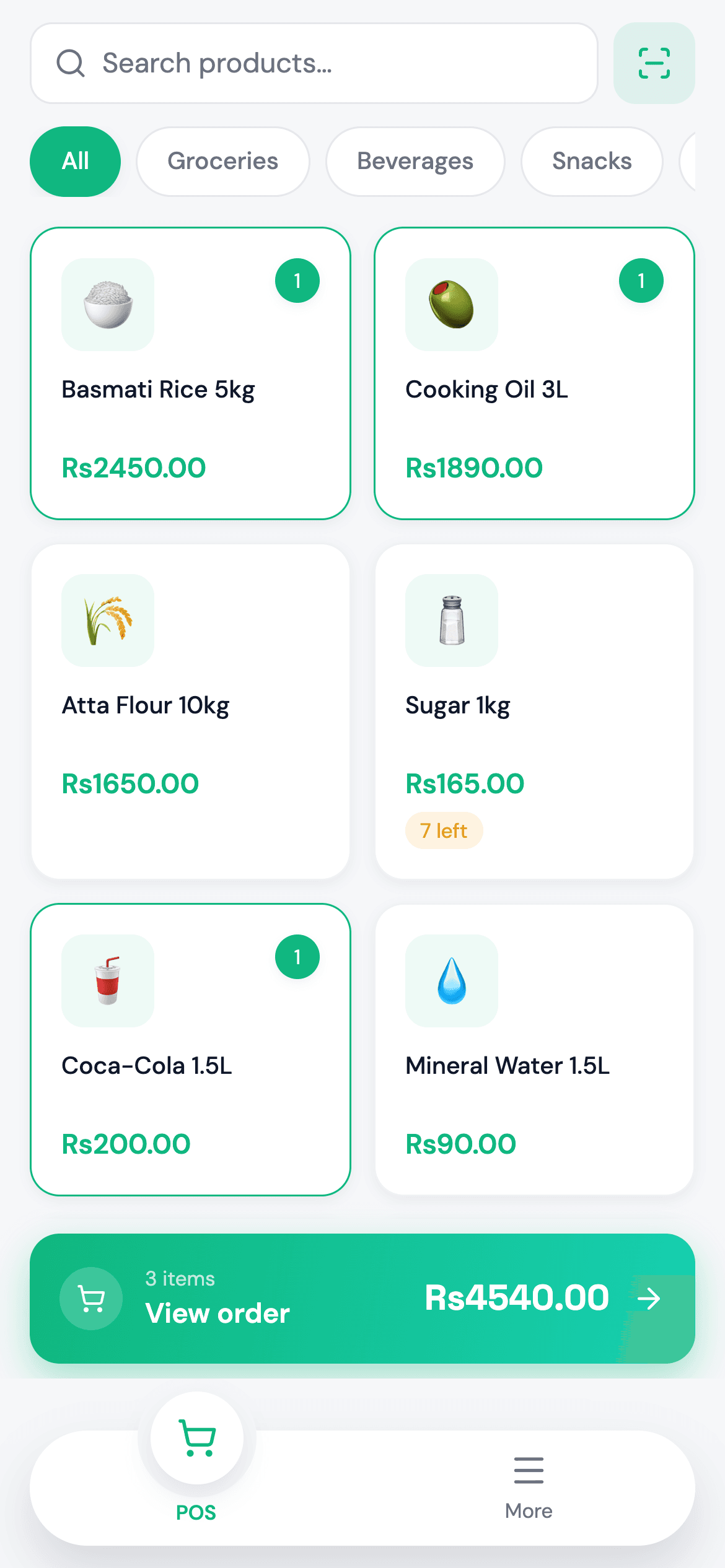
Scan with a USB scanner at the counter or the phone camera on the floor, or search and tap product tiles by category.
Cash, card & online
Take the payment method your customer prefers and see the mix in your reports.
Discounts
Apply a per-item discount at checkout. The receipt and the reports both show it.
Receipts
Print on 58 mm or 80 mm thermal printers, or share the receipt as a PDF from the mobile app.
Inventory & low-stock alerts
Stock drops with every sale. Low items are flagged on the POS tile, the inventory page and the dashboard.
Product catalogue
Prices, cost, SKU, barcode, category and an icon for every product, all editable from web or mobile.
Customer directory
Save customers at checkout and see everything they've bought.
Reports & profit
Daily revenue, weekly trend, top products, average order value, payment mix, and gross and net profit.
Staff accounts
Give cashiers their own logins that open straight to the POS, and grant extra modules only to the people who need them.
The workflow
Follow one order end to end
Scroll through what happens between a customer ordering and the money reaching your dashboard.
Point of sale
Build the sale in seconds
Search, filter by category, tap a tile or scan a barcode with the phone camera. Quantities and per-item discounts are right in the cart.
- Camera barcode scanning on mobile
- Low-stock warnings on the tile
- Attach a customer to the sale
Take payment anywhere
Check out on the counter PC or walk the aisle with a phone. Take cash, card or online payment and print a thermal receipt or share a PDF.
- Bluetooth printers on Android and iOS
- Share receipts as PDF
- Same catalogue on every device
Stock and records update themselves
Every sale lowers stock, is saved under Orders and adds to the customer's history. Low-stock items are flagged before you run out.
- Correct stock counts in one click
- Full order history with payment method
- Customer purchase history
Know exactly what you made
Today's revenue, weekly trend, top products and profit after expenses, all on one dashboard.
- Gross and net profit by period
- Expenses tracked by category
- Payment-method mix in reports
Take the tour
See every screen
These are real screens from the TapNtrade web and mobile apps, shown with sample data. Hover to zoom in, or click to open any screen full size.
FAQ
Retail POS questions
What is a retail POS system?
A retail POS is the software you check customers out with. TapNtrade also keeps your stock count, customer list, expenses and profit up to date with every sale, so the shop and the back office stay in step.
Does TapNtrade support barcode scanners?
Yes. On the counter, a USB barcode scanner types straight into the POS scan field. On a phone, the TapNtrade app uses the camera to scan barcodes and add the product to the cart.
Will TapNtrade tell me when stock is running low?
Yes. Stock goes down with every sale. Products that are running low are flagged on the dashboard, on the inventory page and on the POS tile itself.
Can I give discounts and record customers?
Yes. You can apply a per-item discount at checkout and attach a customer to the sale. Each customer's purchase history is kept in the customer directory.
Can I see my profit, not just sales?
Yes. Each product carries a cost price, so TapNtrade reports gross profit. Expenses you log are then subtracted to give net profit, for today, this month, this year or all time.
What kinds of shops use TapNtrade?
Supermarkets, grocery and general stores, pharmacies, clothing and shoe shops, mobile and electronics shops, cosmetics stores and hardware stores. Any business that sells items off a shelf.
Ready to take your first order?
Sign in to TapNtrade, or message us and we'll set up your store, whether it's a restaurant or a shop.